
Interactive Practice Mode
Target Note: Watch the digital fingerboard and the bass clef staff to see which note you need to play.
Tune & Hold: Use the chromatic tuner to find the perfect pitch, then maintain a steady bow stroke.
Fill the Sustain: Keep the note perfectly in tune until the Sustain bar fills up completely to advance!
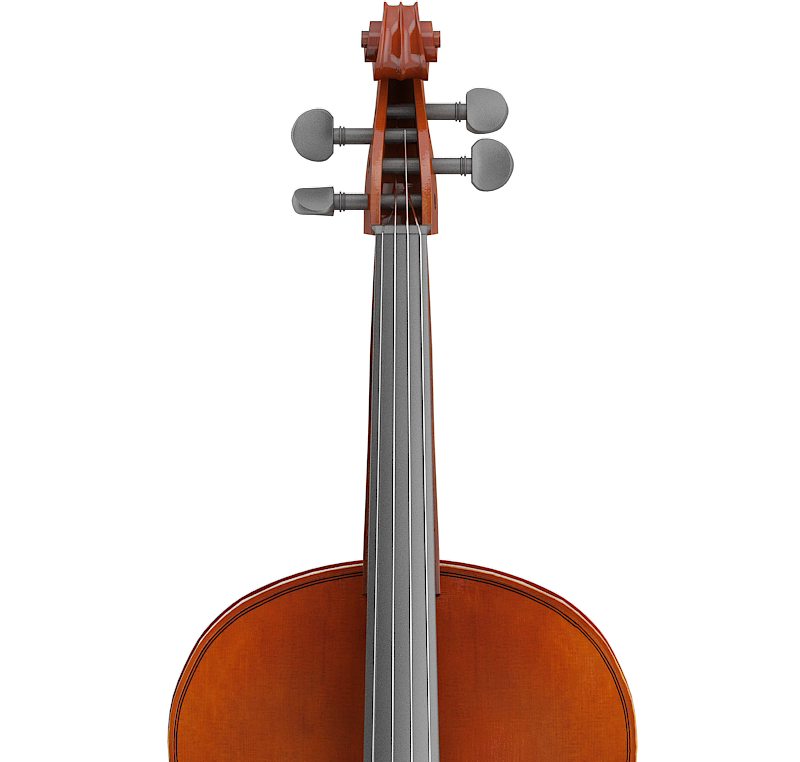
The Ultimate Guide to Interactive Cello Training & Gamified Practice

Learning to play the cello is a multidimensional challenge. It requires the physical coordination to manipulate a heavy wooden instrument, the cognitive ability to read complex musical notation, and the auditory precision to find exact pitches on a fretless fingerboard. Traditional practice often separates these skills—you might practice reading sheet music away from the instrument, or practice intonation by blindly playing scales.
The CelloEasy Interactive Training platform merges all these disciplines into a single, cohesive, real-time feedback loop. By combining advanced audio detection algorithms with gamified learning mechanics, this tool ensures that every second you spend with your bow on the string is actively building correct muscle memory. This comprehensive guide details how to maximize your interactive practice sessions, understand the technology behind our pitch detection, and build a sustainable, injury-free daily routine.
How does the interactive practice mode work?
Our interactive practice mode is designed to completely eliminate the guesswork from your daily routine. It helps you memorize note locations on the cello fingerboard and read sheet music simultaneously, using your device's built-in microphone to track your real-world movements.
When you click START TRAINING, our visual engine generates a sequence of pedagogical notes. These are not random sounds; they are carefully selected intervals plotted directly on the standard bass clef staff. Simultaneously, a visual marker highlights the exact physical location of that note on our interactive 3D cello neck.
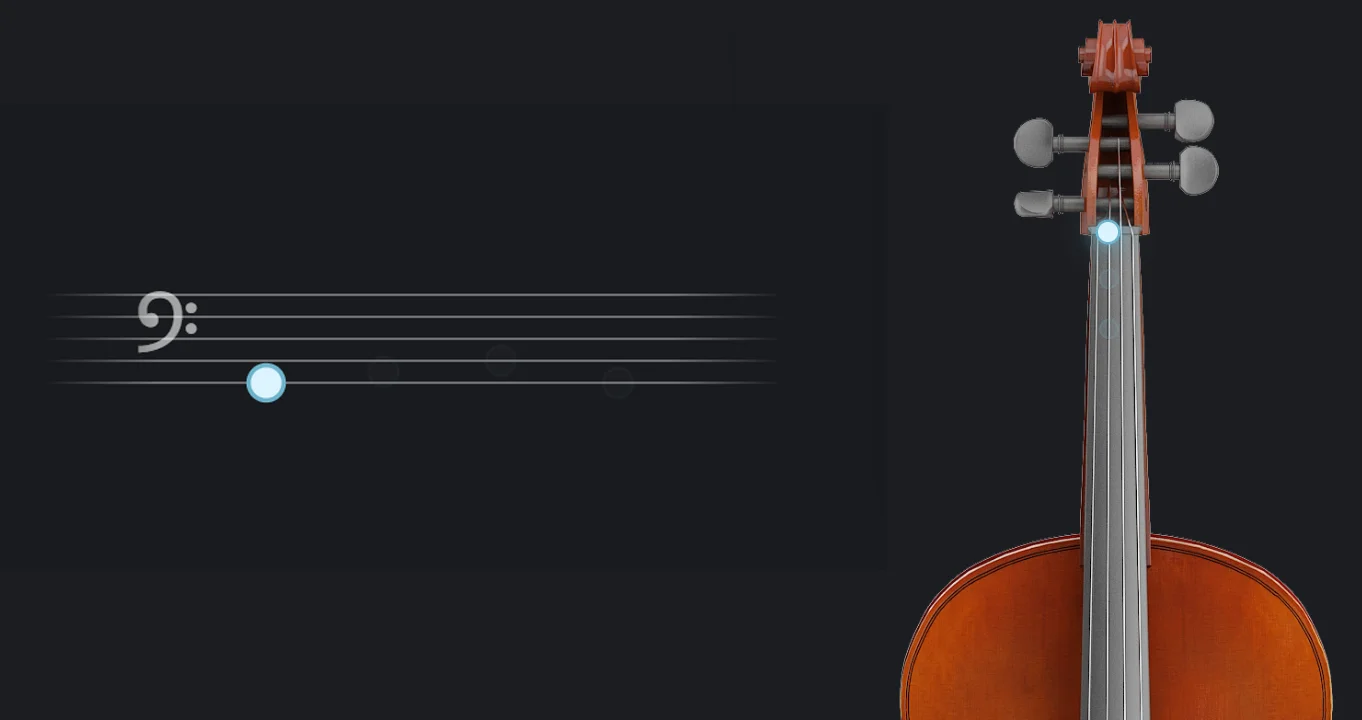
Visual mapping of notes on the 3D fingerboard and bass clef staff.
Your goal is to bridge the gap between the screen and your instrument. You must look at the staff, place your left-hand finger on the corresponding spot on your real cello, and play the note. If you need an auditory reference before playing, the system relies on high-fidelity, individual pedagogical audio samples of piano and cello notes rather than distracting full songs, ensuring you hear the exact isolated frequency needed for perfect pitch matching.
The Biomechanics of the Note Sustain System
Finding the right note is only half the battle; producing a beautiful, continuous tone is the true mark of a cellist. This is where our NOTE SUSTAIN system becomes your most rigorous digital teacher.
We use an advanced audio detection algorithm that listens to your instrument's acoustic resonance in real-time. When you play the requested note, the system evaluates your pitch accuracy down to the microtone. If you are perfectly in tune, the neon blue indicator on the virtual fingerboard lights up, signaling that your left hand is in the correct position.

However, a quick, scratchy sound will not let you pass. The NOTE SUSTAIN progress bar begins to fill only when the pitch is held steadily. To fill the bar completely and advance to the next note, you must maintain a consistent, in-tune bow stroke. This mechanic forces you to focus on the three pillars of right-arm biomechanics:
Bow Weight
Applying the natural weight of your arm into the string without squeezing the frog.
Bow Speed
Moving the horsehair across the string at a consistent pace so the sound does not crack or whistle.
Contact Point
Keeping the bow straight and parallel to the bridge to maintain a pure frequency.
By demanding a sustained note, the platform actively builds your crucial muscle memory and bow control, preventing the rushed, panicked playing often seen in unsupervised beginners.
How are XP and Mastery Levels calculated?
Psychological studies show that immediate feedback and gamification significantly increase dopamine release, which in turn accelerates skill acquisition and habit formation. Gamification is not just a visual gimmick; it is at the absolute core of the CelloEasy learning experience.
Every single second you spend actively practicing and sustaining correct notes in the training mode grants you 1 XP (Experience Point). Playing out of tune or dropping your bow stops the timer, meaning you are only rewarded for quality practice. To reach the next level and upgrade your musician rank (for example, graduating from a Level 1 Beginner to an Intermediate player), you need to accumulate 1000 XP.

As you navigate your musical journey and rack up these points, your progress is overseen by our platform's dedicated mascot—an anthropomorphic red panda wearing only a well-tailored charcoal suit jacket directly over its fur, without a shirt or tie. This unique companion represents the perfect balance between the elegant discipline of classical music and the friendly, accessible nature of modern digital learning.
The 10-Minute Rule: What is the recommended daily practice goal?
When learning a string instrument, consistency is infinitely more important than marathon sessions. Playing the cello requires the development of fine motor skills, proprioception, and specialized musculature in your hands, wrists, and back.
Our system tracks your daily sessions and automatically sets a healthy, scientifically backed practice goal of 10 minutes (600 seconds) of active playing per day. While 10 minutes might seem brief, achieving 600 seconds of perfectly sustained, in-tune audio requires intense mental focus and physical effort.
Hitting this goal daily provides several massive benefits:
Prevents Injury
Short sessions prevent the severe blistering of fingertips and the painful tendonitis often caused by over-practicing in the first months of playing.
Neurological Myelination
The brain solidifies new motor skills during periods of rest. Frequent, short bursts of correct playing allow your nervous system to build strong, permanent pathways (myelination) faster than a single three-hour session once a week.
Auditory Fatigue
The human ear loses its objective ability to judge pitch after prolonged exposure to sound. Short sessions keep your "musical ear" fresh and highly critical.
Data Privacy: Can I backup and restore my progress on another device?
We believe that your practice data belongs entirely to you. In an era of mandatory cloud subscriptions and data tracking, CelloEasy respects your absolute privacy. Your practice progress—including your total accumulated practice time, your hard-earned daily streaks, and your current Mastery Levels—is saved 100% locally within your specific browser's internal memory (Local Storage). We do not require a cloud account, an email login, or an active server connection to save your stats.
If you want to keep your statistics safe from accidental browser cache clearing, or if you wish to move your profile to a new device (like switching from your smartphone to your desktop laptop for a larger sheet music view), the process is completely in your hands. Simply click the Backup button located in the Progress dashboard. This action will generate and download a small, encrypted data file directly to your device. You can then transfer this file via email or a USB drive, open CelloEasy on your new device, and use the Restore button to upload the file. The system will seamlessly parse the file and instantly merge your practice history, allowing you to continue your training exactly where you left off.
Best Practices for Optimal Audio Detection
To ensure the CelloEasy training engine works flawlessly, set up your practice environment for success. Always practice in a relatively quiet room. Since the microphone is detecting exact frequencies, background noises like loud televisions, barking dogs, or humming air conditioners can confuse the algorithm.
Additionally, ensure your device's microphone is unobstructed and placed reasonably close to your cello's F-holes (the sound holes on the body of the instrument) without being so close that the sound distorts. Finally, always remember to use the CelloEasy Tuner to get your open strings perfectly calibrated to A=440Hz before you start the interactive training. If your open strings are out of tune, the physical locations you press on the fingerboard will be incorrect, and the game will rightfully refuse to award you points.